My Blog Project using Django and React

Setup
First I created a virtual environment in which my program will run using the following command on the terminal;
python -m venv venv
Then I'll activate the virtual environment using
source venv/bin/activate
To deactivate
deactivate
Then I'll go on to install django
pip install django
To build my project files;
django-admin startproject BlogProject
Create an app;
cd BlogProject
python manage.py startapp Blog
Include the newly created app in the settings.py file
INSTALLED_APPS = [
    'django.contrib.admin',
    'django.contrib.auth',
    'django.contrib.contenttypes',
    'django.contrib.sessions',
    'django.contrib.messages',
    'django.contrib.staticfiles',
    'Blog',  #new
]
Make migrations using the terminal, registering the new app to the database
python manage.py makemigrations
python manage.py migrate
python manage.py runserver
You should see this
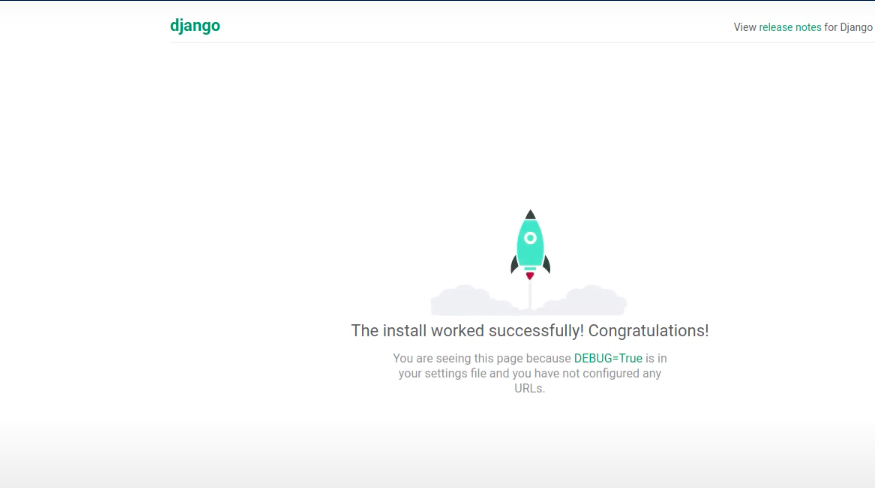
To create a superuser to access the admin page: http://127.0.0.1:8000/admin/ ;
python manage.py createsuperuser
follow the prompt and create a superuser
Create a urls.py file in the Blog app directory and include the blog app urls in the project directory urls;
from django.contrib import admin
from django.urls import path, include

urlpatterns = [
    path('admin/', admin.site.urls),
    path('blog', include('Blog.urls')),
]
Setting up the Model
Go to models.py file in the Blog app directory
from django.db import models
from django.contrib.auth.models import User


class BlogTag(models.Model):
    #title is unique so that we don't have duplicates
    title = models.CharField(max_length=255, unique=True)
    created_at = models.DateTimeField(auto_now_add=True)

    def __str__(self):
        return self.title

class Blog(models.Model):
    tags = models.ManyToManyField(BlogTag, related_name='blog_tags')
    #title is unique so that we don't have duplicates
    title = models.CharField(max_length=255, unique=True)
    author = models.ForeignKey(User, related_name='blog_author', on_delete=models.CASCADE)
    content = models.TextField()
    created_at = models.DateTimeField(auto_now_add=True)
    updated_at = models.DateTimeField(auto_now=True)

    class meta:
        #the ordering is negative because we want our list to be in descending order, with the
        #latest coming first
        ordering = ("-created_at")

    def __str__(self):
        return f'{self.title} by {self.author.username}'

class BlogComment(models.Model):
    blog = models.ForeignKey(Blog, related_name='blog_comments', on_delete=models.CASCADE)
    author = models.ForeignKey(User, related_name='blog_comment_author', on_delete=models.CASCADE)
    comment = models.TextField()
    created_at = models.DateTimeField(auto_now_add=True)
    updated_at = models.DateTimeField(auto_now=True)

    class meta:
        #the ordering is negative because we want our list to be in descending order, with the
        #latest coming first
        ordering = ("-created_at")

    def __str__(self):
        return f'{self.blog.title} - {self.author.username}'
Run migration using python manage.py makemigrations. This takes the model above and makes it into an SQL command and python manage.py migrate sends it to the database as a table.
Register each table in the admin.py file in the Blog app directory so that the table can be manipulated by admin;
from django.contrib import admin
from .models import (
      (Blog, BlogComment, BlogTag,)
)

admin.site.register(Blog, BlogComment, BlogTag)
The Blog API (Endpoints)
Install Django Rest Framework using pip install djangorestframework, and include it in the settings.py file as an installed app;
INSTALLED_APPS = [
    ...,
    'rest_framework',
]
Add a serializers.py file to the Blog app directory, serializers allow complex data such as querysets and model instances to be converted to native Python datatypes that can then be easily rendered into JSON, XML, or other content types. Serializers also provide deserialization, allowing parsed data to be converted back into complex types, after first validating the incoming data.
from rest_framework import serializers
from .models import (Blog, BlogComment, BlogTag,)


class BlogTagSerializer(serializers.ModelSerializer):

    class Meta:
        model = BlogTag
        fields = '__all__'

class BlogSerializer(serializers.ModelSerializer):
    #tags variable is created so that the tags on the endpoint do not show as index but the object
    #and many is set to true because one blog can have several tags
    tags = BlogTagSerializer(many=True)

    class Meta:
        model = Blog
        fields = '__all__'

class BlogCommentSerializer(serializers.ModelSerializer):

    class Meta:
        model = BlogComment
        fields = '__all__'
Next, the views, the API does not make its call directly to the model, nor does it call out directly to the serializers 😁, but it reaches out to the views which in turn reaches out to the other guys- serializers and models, manipulating them in the ways that it has been set to do.
The Views
I will be using the DRF Routers as our views are all extending from ModelViewSet, Routers are used with ViewSets in Django rest framework to auto-config the URLs. Router provides a simple, quick, and consistent way of wiring ViewSet logic to a set of URLs. Router automatically maps the incoming request to the proper viewset action based on the request method type(i.e GET, POST, etc). Also, we would have our endpoints laid out for us easily because of the router.
Blog/views.py
from .serializers import (BlogTag, Blog, BlogComment,
      BlogCommentSerializer, BlogSerializer, BlogTagSerializer)
from rest_framework.viewsets import ModelViewSet


class BlogView(ModelViewSet):
    #returns all blogs when queried
    queryset = Blog.objects.all()
    serializer_class = BlogSerializer

class BlogCommentView(ModelViewSet):
    #returns all blog comments when queried
    queryset = BlogComment.objects.all()
    serializer_class = BlogCommentSerializer

class BlogTagView(ModelViewSet):
    #returns all blog tags when queried
    queryset = BlogTag.objects.all()
    serializer_class = BlogTagSerializer
Blog/urls.py
from django.urls import path, include
from .views import (BlogTagView, BlogCommentView, BlogView,)
from rest_framework.routers import DefaultRouter


router = DefaultRouter()
#define the route with a name and map it to the view
#when a request is made to 'blogs', it draws from Blogview
router.register('blogs', BlogView)
router.register('blog-tags', BlogTagView)
router.register('blog-comments', BlogCommentView)

urlpatterns = [
    path('', include(router.urls)),
]
Let's go ahead and run our app python manage.py runserver;
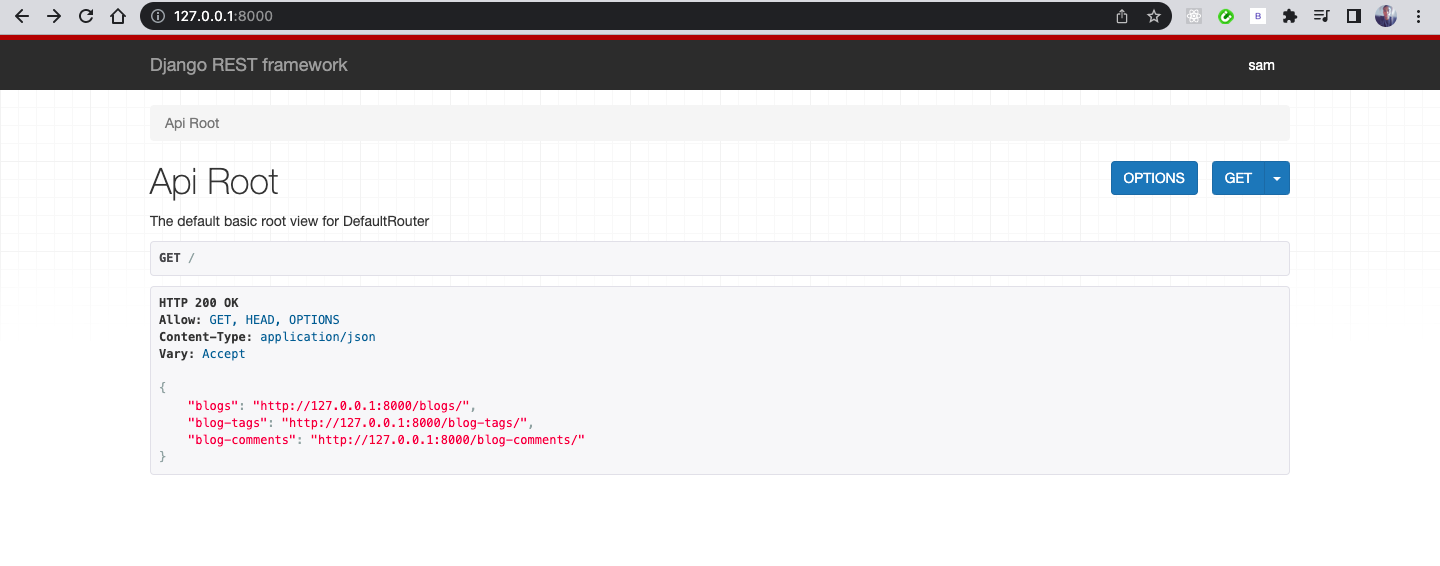
Create a User app with python manage.py User, include the User app in the settings.py file, create its urls.py file and serializers.py file.
User/serializers.py
from django.contrib.auth.models import User
from rest_framework import serializers


class UserSerializer(serializers.ModelSerializer):

    class Meta:
        model = User
        fields = ('username', 'email', 'created_at',)
User/views.py
from .serializers import (User, UserSerializer)
from rest_framework.viewsets import ModelViewSet

class UserView(ModelViewSet):
    queryset = User.objects.all()
    serializer_class = UserSerializer
User/urls.py
from .views import UserView
from rest_framework.routers import DefaultRouter
from django.urls import path, include

router = DefaultRouter()
router.register('users', UserView)

urlpatterns = [
    path('', include(router.urls)),
]
Then, include the User/urls in the project directory urls;
BlogProject/urls.py
from django.contrib import admin
from django.urls import path, include

urlpatterns = [
    ...,
    path('', include('User.urls')),
]
Blog/serializers.py
from rest_framework import serializers
from .models import (Blog, BlogComment, BlogTag,)
from User.serializers import UserSerializer


class BlogTagSerializer(serializers.ModelSerializer):

    class Meta:
        model = BlogTag
        fields = ('title',)

class BlogSerializer(serializers.ModelSerializer):
    #tags variable is created so that the tags on the endpoint do not show as index but the object
    #and many is set to true because one blog can have several tags
    tags = BlogTagSerializer(many=True)
    #to be able to tell who the author of this serializer is;
    author = UserSerializer(read_only=True)
    author_id = serializers.IntegerField(write_only=True)

    class Meta:
        model = Blog
        fields = '__all__'

class BlogCommentSerializer(serializers.ModelSerializer):
    blog = BlogSerializer(read_only=True)
    blog_id = serializers.IntegerField(write_only=True)
    author = UserSerializer(read_only=True)
    author_id = serializers.IntegerField(write_only=True)

    class Meta:
        model = BlogComment
        fields = '__all__'
pip install django-cors-headers
Cross-Origin Resource Sharing is a mechanism for allowing clients to interact with APIs that are hosted on a different domain. CORS works by requiring the server to include a specific set of headers that allow a browser to determine if and when cross-domain requests should be allowed.
INSTALLED_APPS = [
    ...,
    'corsheaders',
    ...,
]
it should be set above the common middleware
MIDDLEWARE = [
   ...,
    'corsheaders.middleware.CorsMiddleware',
    'django.middleware.common.CommonMiddleware',
    ...,
]

CORS_ORIGIN_ALLOW_ALL = True #this is to enable access to the API from all, subsequently a list of sites to be allowed can be created but for now, 'all' is ok.
also allow all hosts
ALLOWED_HOSTS = ['*']
Install TinyMCE, Django-TinyMCE is a Django application that contains a widget to render a form field as a TinyMCE editor.
pip install django-tinymce
INSTALLED_APPS = [
    ...,
    'tinymce',
    ...,
]
BlogProject/urls.py
urlpatterns = [
    ...,
    path('tinymce/', include('tinymce.urls')),
]
Let's include it in the model; Blog/models.py
from tinymce.models import HTMLField

...

class Blog(models.Model):
    tags = models.ManyToManyField(BlogTag, related_name='blog_tags')
    #title is unique so that we don't have duplicates
    title = models.CharField(max_length=255, unique=True)
    author = models.ForeignKey(User, related_name='blog_author', on_delete=models.CASCADE)
    #change the text field to HTMLField()
    content = HTMLField()
    created_at = models.DateTimeField(auto_now_add=True)
    updated_at = models.DateTimeField(auto_now=True)
Make migrations and migrate cause of the change to the model, runserver, and voila!
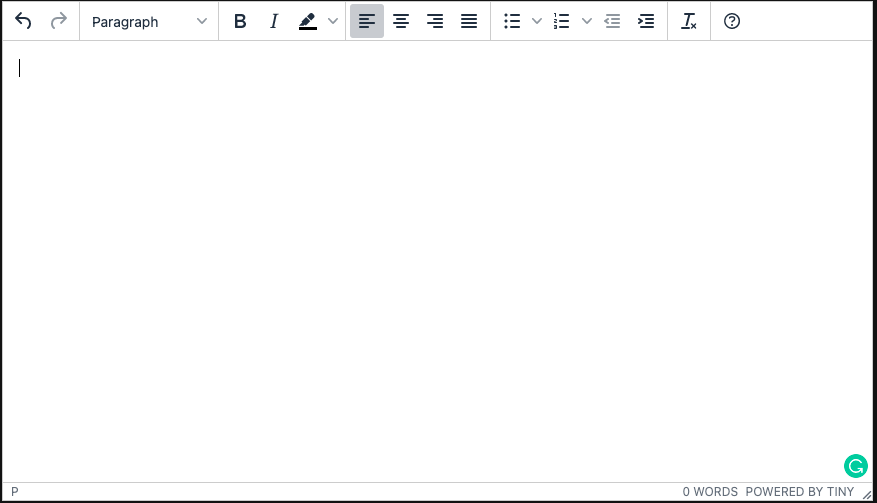
Front End-React
Open the terminal and cd to the project folder, install react--> npx create-react-app, npm start Create an entry point; clear the src folder and create a new index.js file and input:
import React from 'react';
import ReactDOM from 'react-dom';


ReactDOM.render(<h1>Hello World!</h1>, document.getElementById('root'));
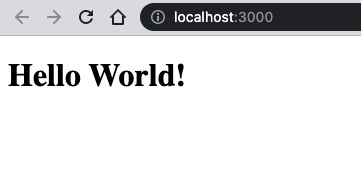
Create folder components-->assets | pages-->home-->Home.js,Home.scss,singleBlogPage | utils folder note: I'll be using scss in place of css
Home.js
import React from 'react';


function Home(props){
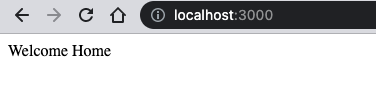
    return <div>Welcome Home</div>
}

export default Home;
index.js
import React from 'react';
import ReactDOM from 'react-dom';
import Home from './components/pages/home/Home';


ReactDOM.render(<Home />, document.getElementById('root'));
npm install react-router-dom
Create a router.js file in the src folder
import React from 'react';
import { BrowserRouter,Route, Switch } from 'react-router-dom';
import Home from './components/pages/home/Home';


const Router = () => {
    return (
        <BrowserRouter>
            <Routes>
                <Route path='/' element={<Home />} />
            </Routes>
        </BrowserRouter>
    )
}

export default Router;
index.js
import React from 'react';
import ReactDOM from 'react-dom';
import Router from './router';


ReactDOM.render(<Router />, document.getElementById('root'));
import React from 'react';

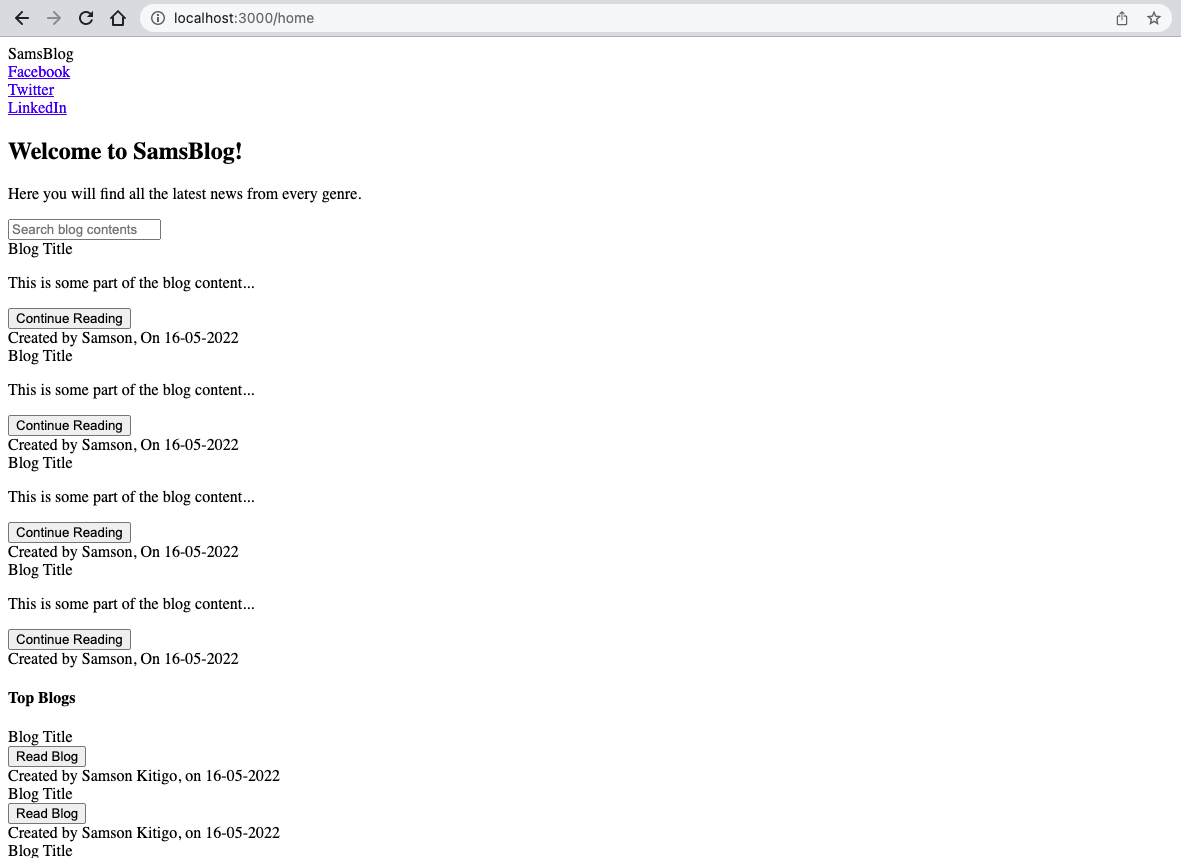
const Home = (props) => {
    return (
        <div className="blog-container">
            <div className="navbar">
                <div className="brand">SamsBlog</div>
                <div className="navRight">

                    <div className="navLinks">
                        <a href="#">Facebook</a>
                    </div>

                    <div className="navLinks">
                        <a href="#">Twitter</a>
                    </div>

                    <div className="navLinks">
                        <a href="#">LinkedIn</a>
                    </div>

                </div>
            </div>
            <div className="banner">
                <h2>Welcome to SamsBlog!</h2>
                <p>Here you will find all the latest news from every genre.</p>
                <div className="searchBlog">
                    <input placeholder="Search blog contents"/>
                </div>
            </div>
            <div className="blogListContainer">
                <div className="blogList">
                    <BlogCard />
                    <BlogCard />
                    <BlogCard />
                    <BlogCard />
                </div>
                <div className="blogExtras">
                        <h4>Top Blogs</h4>
                        <BlogCardExtra />
                        <BlogCardExtra />
                        <BlogCardExtra />
                        <BlogCardExtra />
                </div>
            </div>
        </div>
    );
};

const BlogCard = (props) => {
    return (
        <div className="blogCard">
            <div className="blogImage" />
            <div className="blogContent">
                <div className="blogTitle">Blog Title</div>
                <p>This is some part of the blog content...</p>
                <button>Continue Reading</button>
                <div className="footer">
                    <div className="author">Created by Samson, On 16-05-2022</div>
                </div>
            </div>
        </div>
    )
}

const BlogCardExtra = (props) => {
    return (
        <div className="blogCardExtra">
            <div className="blogImage">
                <div className="blogContent">
                    <div className="blogTitle">Blog Title</div>
                    <button>Read Blog</button>
                    <div className="footer">
                        Created by Samson Kitigo, on 16-05-2022
                    </div>
                </div>
            </div>
        </div>
    )
}

export default Home;
Styling the Home page
utils/default.scss
@import url('https://fonts.googleapis.com/css2?family=Nunito:wght@300;400;600;700;800;900&display=swap');

html, body{
  margin: 0;
  padding: 0;
  font-family: 'Nunito', sans-serif;
}
index.js
import React from 'react';
import ReactDOM from 'react-dom';
import Router from './router';
import './default.scss';


ReactDOM.render(<Router />, document.getElementById('root'));
_theme.scss
$primary_color: #173F5F;
$secondary_color: #F6D55C;
$tertiary_color: #ED553B;
Home.scss
@import "../../utils/theme";

.navbar{
  height: 80px;
  width: 100%;
  background-color: $primary_color;
  display: flex;
  align-items: center;
  justify-content: space-between;

  .brand{
    font-size: 20px;
    color: white;
    font-weight: bold;
  }

  .navRight{
    display: flex;
    align-items: center;

    .navLinks{
      margin: 0 20px;
      a{
        color: white;
        font-size: 14px;
        font-weight: bolder;
        text-decoration: none;
      }
    }
  }
}

.banner{
  height: 150px;
  width: 100%;
  background-color: lighten($primary_color, 30%);
  display: flex;
  align-items: center;
  justify-content: center;
  flex-direction: column;

  h2{
    margin: 0;
    color: white;
  }

  p{
    margin: 10px 0;
    color: rgba(white, 0.5);
  }

  .searchBlog{
    width: 100%;
    input{
      width: 100%;
      max-width: 600px;
      height: 30px;
      display: block;
      margin: 0 auto;
      padding: 0 20px;
    }
  }
}

.blogListContainer {
  display: flex;
  flex-direction: row;
  margin: 0 auto;
  width: 80%;
  .blogList {
    .blogCard {
      display: flex;
      flex-direction: row;
      justify-content: space-between;
      width: 500px;
      height: 250px;
      margin: 20px 20px 20px 25%;
      padding: 0;
      background-color: #eeeeee;
      border-radius: 10px;
      box-shadow: 3px 5px #eeeeee;

      .blogContent {
        display: flex;
        flex-direction: column;
        background-color: white;
        width: 300px;
        border-radius: 10px;
        padding: 10px;
      }

      .blogTitle {
        color: #172b4d;
      }

      button {
        width: 50%;
        height: 30px;
        color: white;
        background-color: #0052cc;
        border-radius: 6px;
        border-style: none;
      }
      button:hover{
        cursor: pointer;
      }

      .footer {
        margin-top: 30%;
      }
    }
  }

  .blogExtras {
    margin-left: 3%;
    h4 {
      margin-left: 25%;
      margin-top: 20%;
    }
    .blogCardExtra {
      display: flex;
      flex-direction: column;
      align-items: flex-end;
      justify-content: space-between;
      width: 400px;
      height: 150px;
      margin: 20px 20px 20px 25%;
      padding: 0;
      background-color: #eeeeee;
      border-radius: 10px;
      box-shadow: 5px 5px #eeeeee;

      .blogContent {
        display: flex;
        flex-direction: column;
        background-color: white;
        width: 250px;
        height: 130px;
        border-radius: 10px;
        padding: 10px;
      }

      .blogTitle {
        color: #172b4d;
      }

      button {
        width: 50%;
        height: 20px;
        margin-top: 10%;
        color: white;
        background-color: #0052cc;
        border-radius: 3px;
        border-style: none;
      }
      button:hover{
        cursor: pointer;
      }

      .footer {
        margin-top: 15%;
        font-size: small;
      }
    }
  }
}
PS.: when using scss, a nested html tag can be style using nesting method, for example, when styling a class named 'navbar', and its child element named 'navlinks' is to be styled also, navlinks would just be added inside the navbar braces.
Connecting the API to the React frontpage
There are two major ways that we can link a react front page to an API; an Inbuilt method that makes use of request or an external package like 'Axios'. In this project, I'm using Axios. To install, run:
npm install axios
utils/urls.js
const BASE_URL = 'http://127.0.0.1:8000/';  //the blog API server link

export const BLOG_URL = BASE_URL + 'blog/';  //to be used in the home.jsx to get the blog content
BlogProject/settings.py
"""
Django settings for BlogProject project.

Generated by 'django-admin startproject' using Django 4.0.4.

For more information on this file, see
https://docs.djangoproject.com/en/4.0/topics/settings/

For the full list of settings and their values, see
https://docs.djangoproject.com/en/4.0/ref/settings/
"""
import os.path
from pathlib import Path

# Build paths inside the project like this: BASE_DIR / 'subdir'.
BASE_DIR = os.path.dirname(os.path.dirname(os.path.abspath(__file__)))


# Quick-start development settings - unsuitable for production
# See https://docs.djangoproject.com/en/4.0/howto/deployment/checklist/

# SECURITY WARNING: keep the secret key used in production secret!
SECRET_KEY = 'django-insecure-561%$(p4do*i=r^xva(d0zkd$er9xe5$22(z198vn^71h7f9u#'

# SECURITY WARNING: don't run with debug turned on in production!
DEBUG = True

ALLOWED_HOSTS = ['*']


# Application definition

INSTALLED_APPS = [
    'django.contrib.admin',
    'django.contrib.auth',
    'django.contrib.contenttypes',
    'django.contrib.sessions',
    'django.contrib.messages',
    'django.contrib.staticfiles',
    'Blog',
    'User',
    'corsheaders',
    'tinymce',
    'rest_framework',
]

MIDDLEWARE = [
    'django.middleware.security.SecurityMiddleware',
    'django.contrib.sessions.middleware.SessionMiddleware',
    'corsheaders.middleware.CorsMiddleware',
    'django.middleware.common.CommonMiddleware',
    'django.middleware.csrf.CsrfViewMiddleware',
    'django.contrib.auth.middleware.AuthenticationMiddleware',
    'django.contrib.messages.middleware.MessageMiddleware',
    'django.middleware.clickjacking.XFrameOptionsMiddleware',
]

CORS_ORIGIN_ALLOW_ALL = True

ROOT_URLCONF = 'BlogProject.urls'

TEMPLATES = [
    {
        'BACKEND': 'django.template.backends.django.DjangoTemplates',
        'DIRS': [],
        'APP_DIRS': True,
        'OPTIONS': {
            'context_processors': [
                'django.template.context_processors.debug',
                'django.template.context_processors.request',
                'django.contrib.auth.context_processors.auth',
                'django.contrib.messages.context_processors.messages',
            ],
        },
    },
]

WSGI_APPLICATION = 'BlogProject.wsgi.application'


# Database
# https://docs.djangoproject.com/en/4.0/ref/settings/#databases

DATABASES = {
    'default': {
        'ENGINE': 'django.db.backends.sqlite3',
        'NAME': os.path.join(BASE_DIR, 'db.sqlite3'),
    }
}


# Password validation
# https://docs.djangoproject.com/en/4.0/ref/settings/#auth-password-validators

AUTH_PASSWORD_VALIDATORS = [
    {
        'NAME': 'django.contrib.auth.password_validation.UserAttributeSimilarityValidator',
    },
    {
        'NAME': 'django.contrib.auth.password_validation.MinimumLengthValidator',
    },
    {
        'NAME': 'django.contrib.auth.password_validation.CommonPasswordValidator',
    },
    {
        'NAME': 'django.contrib.auth.password_validation.NumericPasswordValidator',
    },
]


# Internationalization
# https://docs.djangoproject.com/en/4.0/topics/i18n/

LANGUAGE_CODE = 'en-us'

TIME_ZONE = 'UTC'

USE_I18N = True

USE_TZ = True


# Static files (CSS, JavaScript, Images)
# https://docs.djangoproject.com/en/4.0/howto/static-files/

STATIC_URL = 'static/'

# Default primary key field type
# https://docs.djangoproject.com/en/4.0/ref/settings/#default-auto-field

DEFAULT_AUTO_FIELD = 'django.db.models.BigAutoField'

MEDIA_ROOT = os.path.join(BASE_DIR, 'media')
MEDIA_URL = '/media/'
home/Home.jsx
import React, { useState, useEffect } from 'react';
import './Home.scss';
import axios from "axios";
import {BLOG_URL} from "../../utils/urls";
import Skeleton from 'react-loading-skeleton'
import 'react-loading-skeleton/dist/skeleton.css'
import {Link} from "react-router-dom";
import { FontAwesomeIcon } from '@fortawesome/react-fontawesome'; //to use this icon, npm i --save @fortawesome/free-solid-svg-icons
                                                                    //npm i --save @fortawesome/free-regular-svg-icons
import { faMagnifyingGlass } from '@fortawesome/free-solid-svg-icons'
import moment from "moment";

const Home = (props) => {
    const [fetching, setFetching] = useState(true)
    const [blogList, setBlogList] = useState([])

    useEffect( () => {
        getBlogContent();
    }, [])

    const getBlogContent = () => {
        {/*The then() method returns a Promise. It takes up to two arguments:
        callback functions for the success and failure cases of the Promise.*/}
        axios.get(BLOG_URL).then(res => {
            setBlogList(res.data); //after the data has been fetched
            setFetching(false); //setFetch stops getting data
            console.log(res.data)
        }).catch(err => {
            console.log(err)
        })
    }
    return (
        <div className="blog-container">
            <div className="navbar">
                <div className="brand">SamsBlog</div>
                <div className="navRight">

                {/*Link is used instead of a tag because the href in a tag might not be secure for react*/}
                    <div className="navLinks">
                        <Link to="#">Facebook</Link>
                    </div>

                    <div className="navLinks">
                        <Link to="#">Twitter</Link>
                    </div>

                    <div className="navLinks">
                        <Link to="#">LinkedIn</Link>
                    </div>

                    <div className="navLinks">
                        <Link to="#">Log in</Link>
                    </div>

                </div>
            </div>
            <div className="banner">
                <h2>Welcome to SamsBlog!</h2>
                <p>Here you will find all the latest news from every genre.</p>

                <div className="searchBlog">
                    <FontAwesomeIcon icon={faMagnifyingGlass} className="search-icon"/>
                    <input placeholder="Search blog contents"/>
                </div>
            </div>
            <div className="blogListContainer">
                {fetching ? (
                        <div className='blogList'>
                            <Skeleton className='blogCard' height={250}/>
                            <Skeleton className='blogCard' height={250}/>
                            <Skeleton className='blogCard' height={250}/>
                            <Skeleton className='blogCard' height={250}/>
                        </div>
                    ) : (
                        <div className="blogList">
                            {blogList.map((item, id) => (
                               <BlogCard id={id} data={item} />
                            ))}
                        </div>
                    )}

                <div className="blogExtras">
                        <h4>Top Blogs</h4>
                        <BlogCardExtra />
                        <BlogCardExtra />
                        <BlogCardExtra />
                        <BlogCardExtra />
                </div>
            </div>
        </div>
    );
};

const removeTags = (content) => {
  const regex = /(<([^>]+)>)/gi; //removes html tags from fetched strings
  const regex2 = /(&([a-z]+);)/gi;  //removes ampersand from fetched strings
  return content.replace(regex, '').replace(regex2, '');
}

const BlogCard = (props) => {

    return (
        <div className="blogCard" key={props.id}>
            <div className="blogImage" style={{backgroundImage: `url(${props.data.cover})` }}/>
            <div className="blogContent">
                <div className="blogTitle">{props.data.title}</div>
                <p>
                    {removeTags(props.data.content).toString().substring(0, 100)}
                    {/*if the original length of string is more than 100, the '...' below renders*/}
                    {removeTags(props.data.content).toString().length>100 && '...'}
                </p>
                <button>Continue Reading</button>
                <div className="footer">
                    <span className="textCapitalized">
                        Created by {props.data.author.username}, on {moment(new Date(props.data.created_at)).format('YYYY-MM-DD')}
                    </span> {/*to style the date - npm import moment*/}
                </div>
            </div>
        </div>
    )
}

const BlogCardExtra = (props) => {
    return (
        <div className="blogCardExtra">
            <div className="blogImage">
                <div className="blogContent">
                    <div className="blogTitle">Blog Title</div>
                    <button>Read Blog</button>
                    <div className="footer">
                        Created by Samson Kitigo, on 16-05-2022
                    </div>
                </div>
            </div>
        </div>
    )
}

export default Home;
Single Blog Page
About the author
I am an innovative person who loves to challenge himself persistently. I am an Agile Software Engineer with industry experience in developing software solutions for business use cases from conceptualization to deployment. My goal is to build myself and improve in every way possible through learning and interaction with like-minded people as I am a fast learner. I love to listen to and make music, and I love movies. I'd love to work with an organization where I can apply my skills and knowledge, and also learn on the go.
Comments
Join the discussionNo comments yet. Be the first to comment.